Define the geometry
Configure tube rows, pitch, bend radius and straight length. Set the common tubesheet, divided header and main connections.
 ASCENTRACFD SOFTWARE
THERMAL & HYDRAULIC ENGINEERING SOFTWARE
Understand the flow.
Explore the heat transfer.
Build a U-tube bundle, define its operating conditions and investigate the thermal and hydraulic response in one dedicated engineering workspace.
For cooler designers, manufacturers and engineering teams.

01 / ONE CONNECTED WORKFLOW
Configure tube rows, pitch, bend radius and straight length. Set the common tubesheet, divided header and main connections.
Assign inlet and outlet faces. Inspect the computational mesh across the internal fluid, metal and surrounding water.
Set flow rate, thermal conditions and materials. Track temperatures and pressure difference as the calculation progresses.
Inspect field sections and numerical diagnostics. Generate a structured report with geometry, conditions, figures and a results summary.
WORK WITH YOUR CAD TOOLS
Export the BoxCooler STEP model for further work in SolidWorks or another CAD application. Load a modified STEP assembly into the project and select its inlet and outlet faces in the geometry editor.
STEP exchange is available. Meshing and calculation compatibility for a modified assembly, including a SeaChest, must be reviewed for the specific geometry.
02 / SEE BEYOND A SINGLE NUMBER
Explore how temperature varies along the flow path and how heat spreads into the surrounding water. Review central and outer-row sections to understand local behaviour.
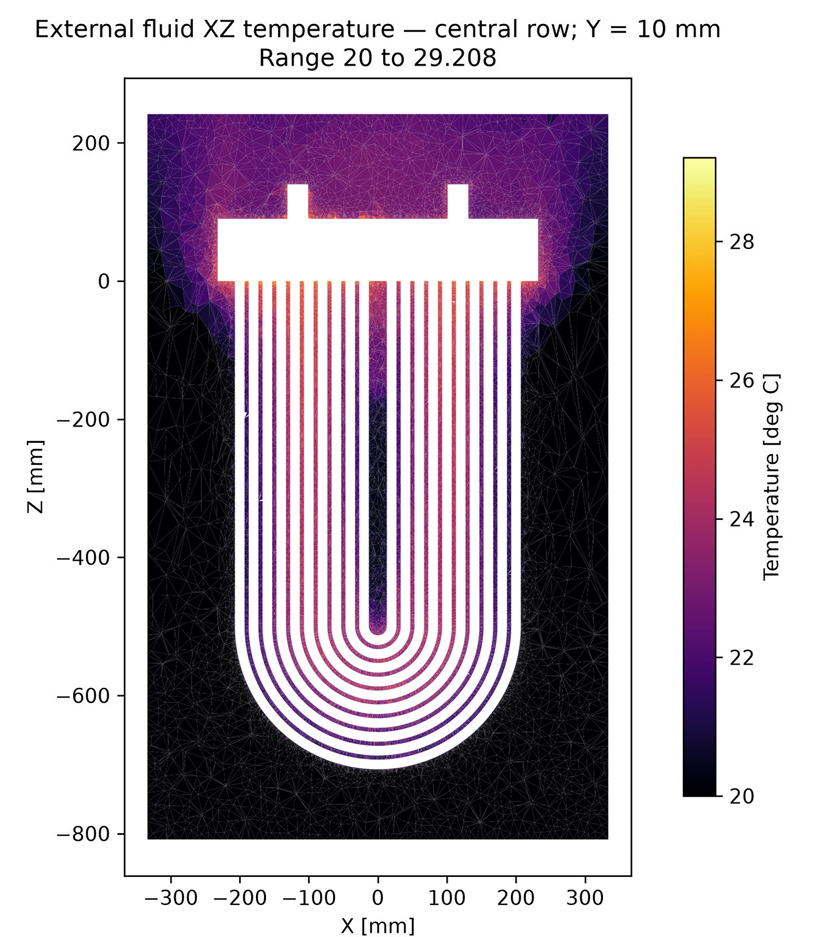
Actual example outputs supplied by ASCENTRA. Each scale describes its displayed section; these figures are not a guaranteed performance specification. Select an image to inspect it at full size.
03 / FOLLOW THE CALCULATION
Inspect outlet temperature and inlet-to-outlet static pressure difference over the recorded iterations, alongside the numerical checks needed to assess a result.


These are histories from an example calculation. A stable curve alone does not establish convergence or accuracy; mesh sensitivity, conservation checks and validation remain part of engineering review.
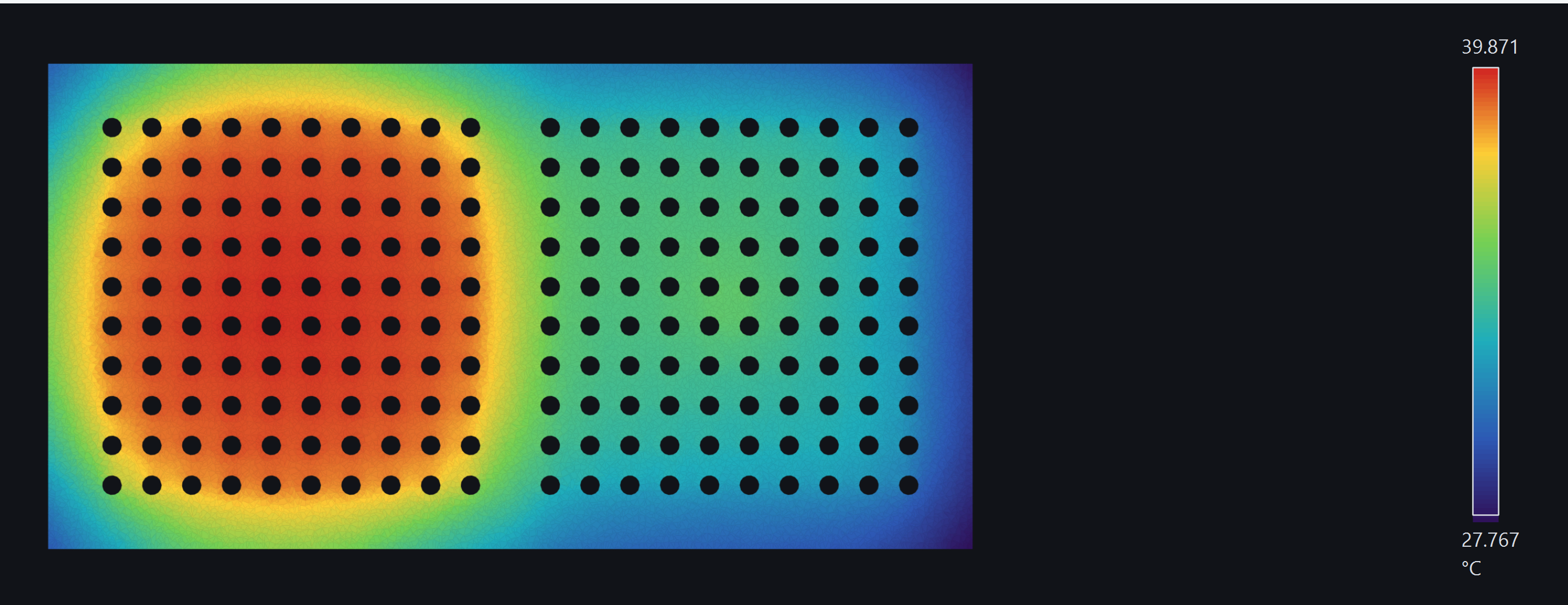
LOCAL DETAIL. WHOLE-BUNDLE CONTEXT.
Use temperature, velocity and pressure sections to investigate local patterns across the header, tubes and external fluid. Connect the field views with the operating point and the recorded result histories.
04 / EXPLORE THE SOFTWARE
Geometry, the calculation workspace, field visualisation and software capabilities.
Open brochureEXAMPLE OUTPUT / PDFGeometry, operating conditions, material properties, field sections and principal results.
Open example reportThe report contains preliminary example results and numerical diagnostics. It illustrates the reporting format; it is not a validated rating or certification of a cooler.
BOXCOOLER ANALYST / ASCENTRA
Discuss a 14-day software evaluation, a demonstration or adaptations for your team's workflow. Tell us about your cooler geometry, operating conditions and the results you need to investigate.
Evaluation scope, availability and start date are confirmed individually.